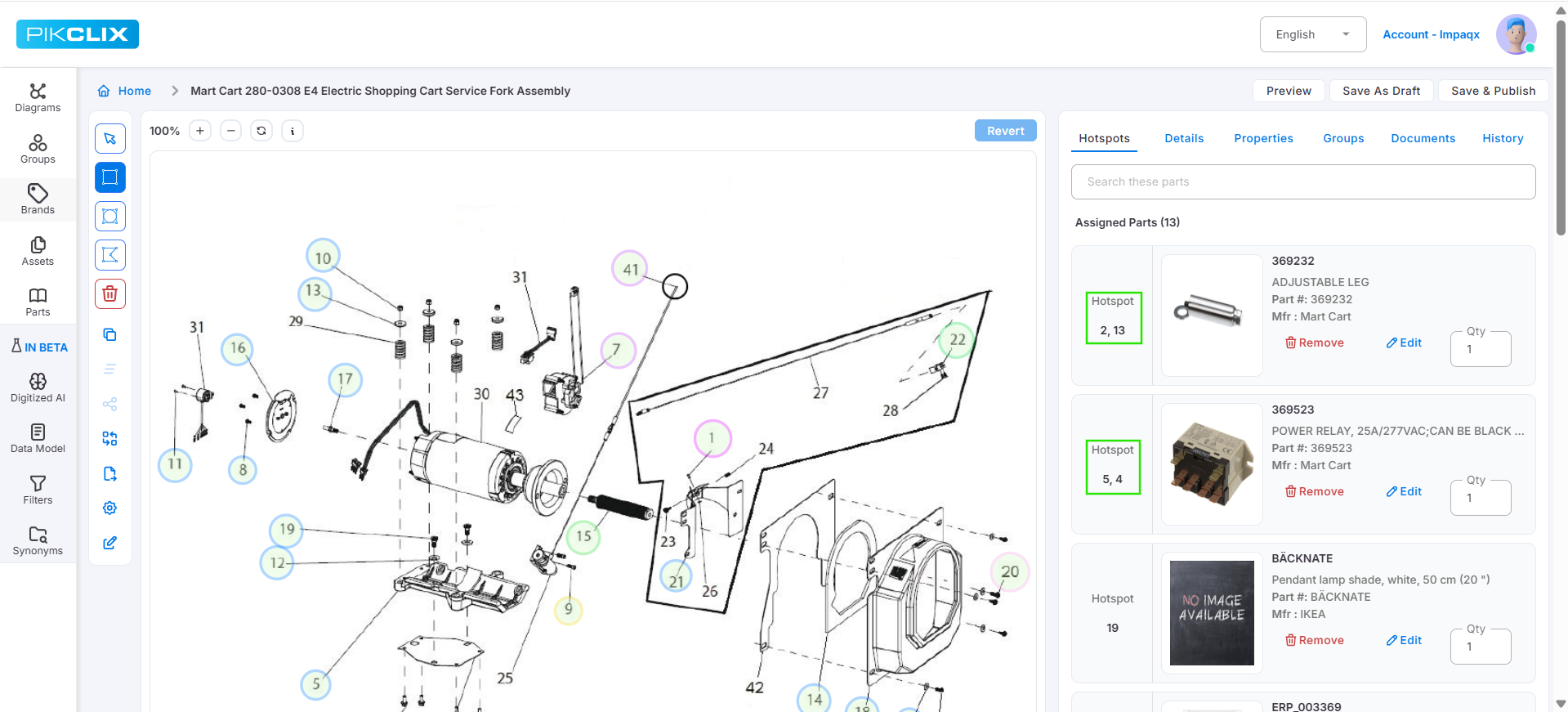
Added support to delete hotspots using the Delete key.
Introduced copy and clone functionality for hotspots.
Hotspot Customization Options:
Enabled customization of hotspot fill color, border color, and thickness across multiple levels:
Account (Application) level – default settings
Diagram level
Individual hotspot level
Assets Management Enhancement:
Enabled the ability to add assets to both Groups and Parts.
Diagram-Level Shopping View Settings:
Introduced multiple shopping view types at the diagram level:
Assembly Diagram View
Click Target with Item Popup View
Click Target with Item Table View
The default view is maintained based on application-level settings.
Hotspot Display Enhancement:
Hotspot reference will now be displayed with comma separation when the same item is assigned to multiple hotspots.
Diagram Image Save Behavior Fix:
Resolved an issue where replacing a diagram image was being saved automatically without explicit user action. Added a Revert option to restore the original image before saving changes.
Part Deletion from Inactive Diagram Issue Fix:
Fixed an issue where deleting a part associated with an inactive diagram only removed the linkage from the diagram but did not delete the part from the catalog. The part is now correctly removed from both the diagram and the part catalog.
Manufacturer Count Update Issue Fix:
Fixed an issue where the manufacturer count was not updated when a diagram’s status was changed between active and inactive.
Optimized API Calls on Edit Screens:
Resolved an issue where APIs were triggered excessively on edit screens. They are now invoked only on relevant tab interactions, improving performance and efficiency.
Part Details Page Query Performance Improvement:
Optimized the Groups and Diagrams queries on the Part Details page to improve data retrieval performance.
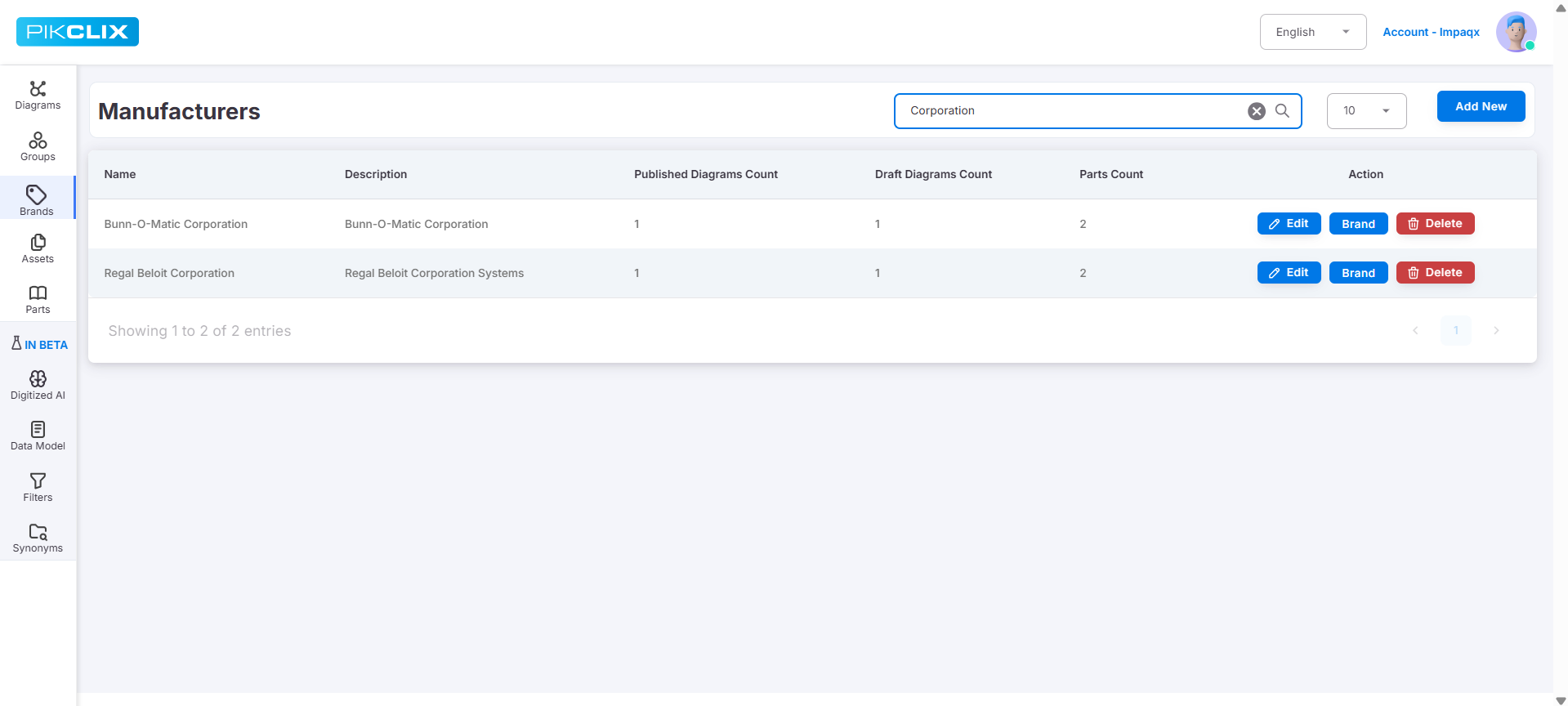
Manufacturer Search Multi-Keyword Support Enhancement:
Enhanced the manufacturer search to fetch results using multiple keywords. Previously, results were limited to only the first keyword.